Yes. Describe your project by phone or email for a ballpark or fixed quote when scope is clear.

Trusted by 500+ businesses to solve complex database challenges.
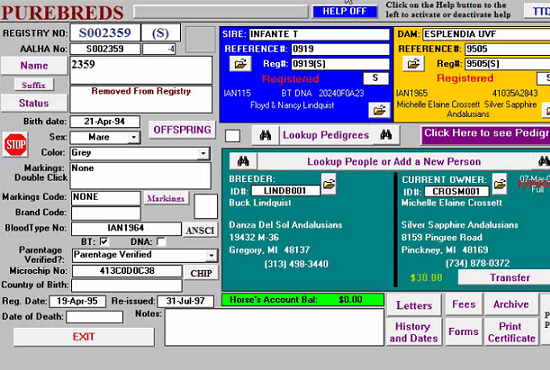
Do you have an old Access 2003 or Access 97 database? We have helped many companies upgrade to current version of Access. Outgrown your Excel application? We can advise you on whether Access is the best fit or whether you’re best to keep it in Excel.
When Microsoft announced discontinued support of Windows XP, it left a lot of companies in a bad position, trying to hang on to legacy Access systems built in the 90’s or early 2000’s. Many of them come to us prepared to sink $50,000+ into a new system, and happily find out that we can upgrade their database to a current Access version with substantial savings. Sometimes it’s as easy as using an automated converter and then fixing a few calendar controls. Sometimes it requires significant effort, but usually can be done for a fraction of the cost of starting over.
We are Excel experts and we have unique competency in upgrading Excel systems to Access. We can also can develop your existing Excel system to get more life out of it before being required to invest in a rebuild. We work with small and medium sized companies who are operating on lean budgets and our philosophy is that if we can help you save costs in the form of a lower consulting fee that the repeat business from happy clients will make up from the opportunity cost of the quick buck of a higher consulting fee.
Access database upgrades modernize ACCDB and MDB files stuck on unsupported Office releases. We fix broken references, update ActiveX controls, and test reports before cutover weekend. Many upgrades cost far less than full rewrites sold by general IT shops.
Send your Access version, user locations, and deadline pressures. We respond with scheduling options and a short prep list to maximize first-session value.
Here are some answers to help you hone in on the information you need. That's our style as an Access Developer. We make doing business with us an easy and enjoyable experience.
Yes. Describe your project by phone or email for a ballpark or fixed quote when scope is clear.
Over 90% of our work is remote with screen sharing; it is faster than on-site for most tasks.
Manufacturing, distribution, nonprofits, professional services, and local businesses nationwide.